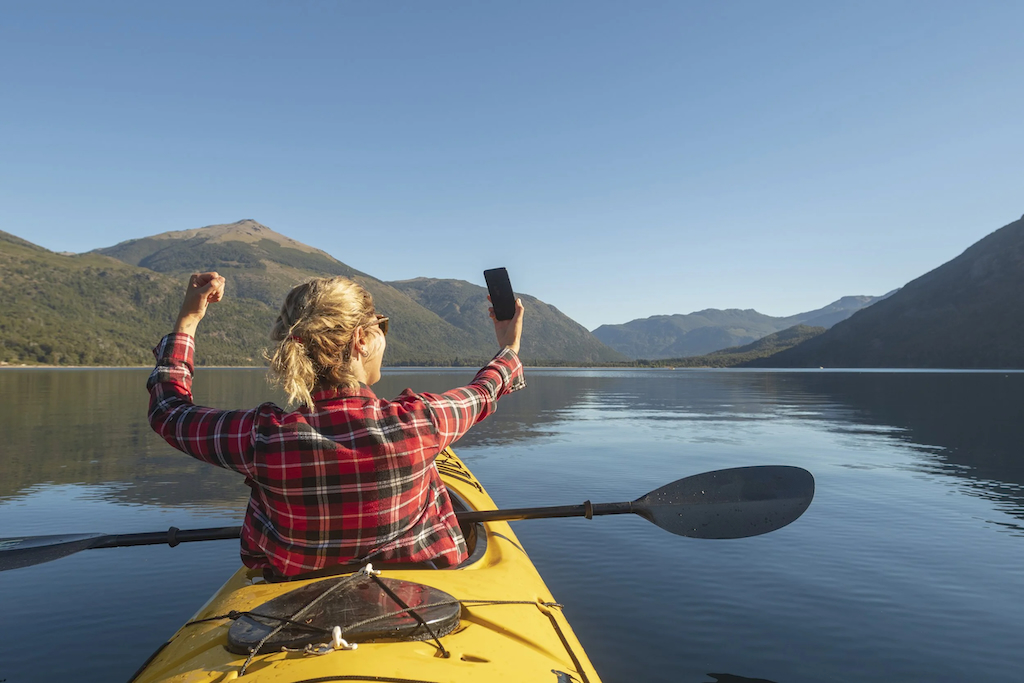
Planning a paddle route can be more straightforward than you think. With PaddlePal on your iPhone, you can map out a simple kayak route by adding key waypoints and save it for your next outing. Then, send that route to your Apple Watch to follow your line on the water while recording your session. Download PaddlePal on your iPhone and plan your first route today. Find out more about paddling apps here.
Plan Your Kayak Route
Planning your kayak route with PaddlePal is quick and easy. Let's look at how to set up the app on your iPhone to get started.
Setting Up PaddlePal on iPhone
To begin, download PaddlePal from the App Store on your iPhone. Once installed, launch the app and allow it to access your location. This ensures that PaddlePal accurately tracks your paddling adventures. After setting up your account, you'll find an intuitive interface that guides you through creating your kayak routes.
PaddlePal's user-friendly design makes it simple to navigate. You can adjust settings, set your preferred units of measurement, and explore the various features available to you. With everything in place, you're now ready to dive into planning your first kayak excursion.
Adding Waypoints and Saving Routes
Adding waypoints to your kayak route is a straightforward process. On the map, tap to place a waypoint at any location you wish to mark. This could be a scenic spot, a rest area, or a point of interest. You can add as many waypoints as needed, tailoring your route to your preferences.
Once you've plotted your course, save the route for future use. Give it a memorable name, so it's easy to find later. You'll appreciate how PaddlePal organises your routes, making it a breeze to revisit your favourite paddling paths. With your route ready, the next step is sending it to your Apple Watch.
Sending Route to Apple Watch
With your route saved on your iPhone, you can easily transfer it to your Apple Watch. Connect your watch to your iPhone and open PaddlePal on your watch. Select the route you want to follow, and it will sync automatically. This seamless integration ensures that you can access your planned route right from your wrist when you're out on the water.
Having your route on your Apple Watch means you can leave your phone safely stored away, focusing on the paddle and the scenery around you. Now, let's explore how to navigate using your watch.
Navigating with Apple Watch
Using your Apple Watch to navigate your kayak route is both practical and efficient. Here's how to follow your planned line and keep track of your progress.
Following Your Planned Line
Once you've synced your route, your Apple Watch will display a clear line to follow on the water. This visual guide helps you stay on track without needing to constantly check your phone. The watch vibrates gently to alert you if you drift off course, helping you maintain the intended path with ease.
This hands-free navigation allows you to enjoy your paddling adventure without distractions, keeping your hands free for paddling while still ensuring you follow the planned route accurately.
Recording and Reviewing Your Track
While you paddle, your Apple Watch records essential data such as distance, duration, and speed. This information is automatically saved in your PaddlePal logbook, allowing you to review your session anytime. Analysing your performance is simple, providing insights to enhance your future trips.
Reviewing your paddling sessions helps identify areas for improvement and celebrate achievements. Whether you're aiming to increase your speed or explore longer routes, PaddlePal's tracking capabilities offer valuable feedback.
Paddle Route Guidance and Safety Tips
Safety is a priority during any paddle adventure. PaddlePal provides route guidance to help you avoid hazards and make informed decisions on the water. Always check local conditions, including weather and tides, before setting off. Familiarise yourself with the area and ensure you have a safety plan in place.
It's wise to inform someone of your route and expected return time. PaddlePal's features, coupled with responsible paddling practices, create a safer and more enjoyable experience.
Explore PaddlePal Features
PaddlePal offers a variety of features designed to enhance your paddling experiences. Let's delve into some of the key benefits.
Benefits of the Paddle Logbook App
PaddlePal's logbook feature is a valuable tool for tracking your paddling journeys. It records each session automatically, allowing you to review and compare your progress over time. Set goals and witness your improvements, making each paddle a rewarding experience.
The logbook helps you keep a detailed history of your adventures, complete with notes and photos. This personalised record is not only useful for tracking performance but also for reliving memorable moments on the water.
GPX Import and Community Publishing
PaddlePal supports GPX import, allowing you to share and explore routes within the paddling community. You can download routes shared by others, expanding your paddling horizons. Sharing your routes contributes to the community, fostering a spirit of exploration and collaboration.
By participating in the PaddlePal community, you can discover new spots and connect with fellow paddlers. Sharing knowledge and experiences enriches the paddling culture and opens up endless possibilities for adventure.
Invitation to Download PaddlePal
Ready to transform your paddling adventures? Download PaddlePal today and start planning your next kayaking trip. With its intuitive features and seamless Apple Watch integration, PaddlePal is your ultimate paddling companion. Enjoy exploring new waters and enhancing your skills with every trip you take.
Check out this community post about paddling on Missouri Scenic Rivers.
Frequently Asked Questions
How do I set up PaddlePal on my iPhone?
To set up PaddlePal, download it from the App Store, launch the app, and follow the setup instructions. Allow location access for accurate tracking.
Can I plan routes directly on my Apple Watch?
While you can't plan routes directly on the Apple Watch, you can easily sync routes from your iPhone to follow them on your watch.
What data does PaddlePal track during a paddle?
PaddlePal tracks distance, duration, speed, and your GPS route. This data is saved in the logbook for reviewing your session.
How can I share my kayak routes with others?
You can share your routes by importing them as GPX files and publishing them within the PaddlePal community. This allows others to explore your routes too.
Does PaddlePal provide safety alerts?
PaddlePal offers route guidance and encourages checking conditions before paddling. Always inform someone of your route and expected return time for added safety.